Platform
From Discovery to Deployment:
The Complete Accessibility Workflow
Pluro isn’t another scanner. It’s a developer-first platform that embeds accessibility into every stage of your development lifecycle. Find issues, fix them intelligently, and prevent them from ever happening again.
Code
Pluro
Dashboard
It All Starts with
Unmatched Detection
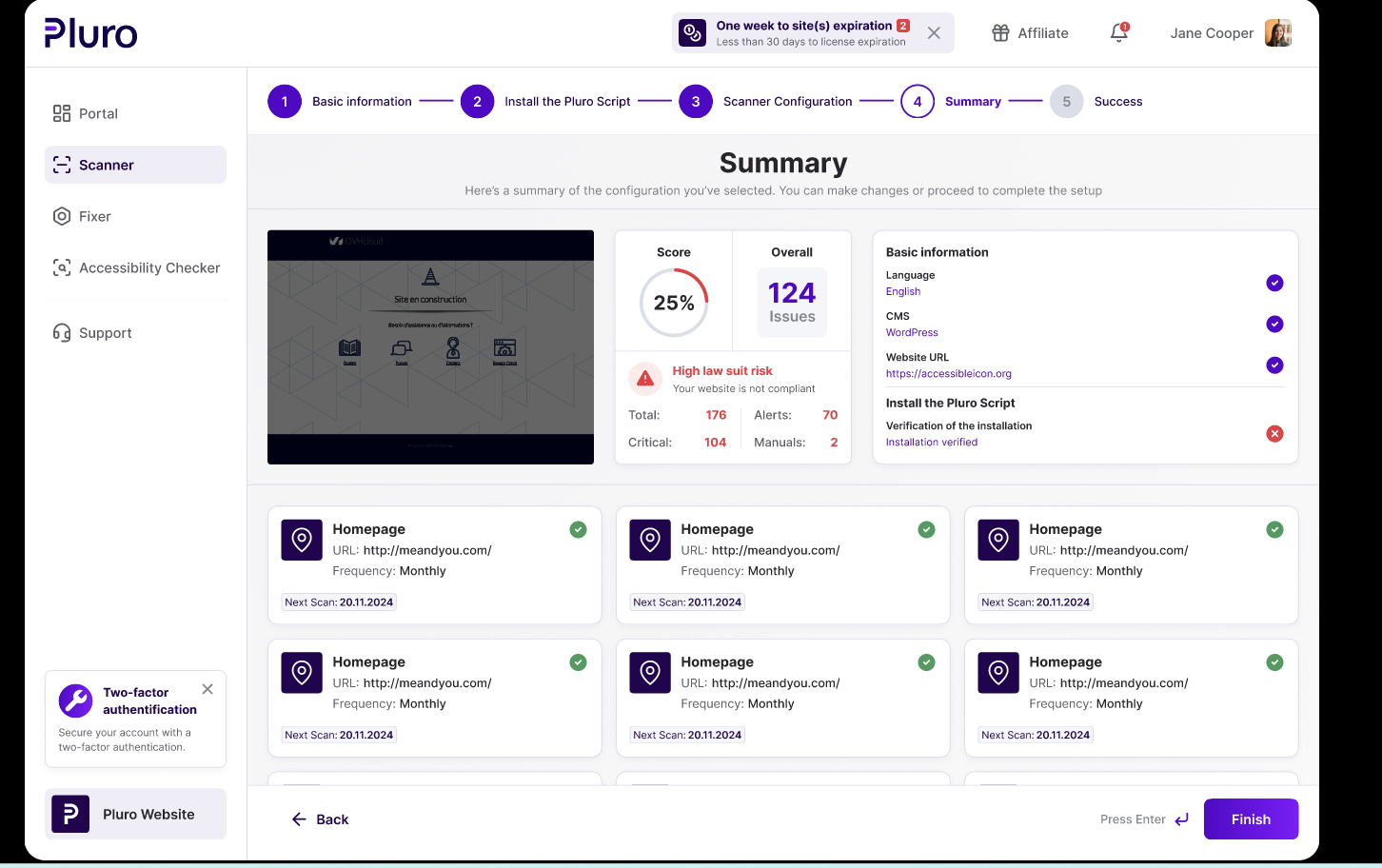
Our powerful detection engine goes beyond surface-level checks to give you a deep, developer-focused analysis of your accessibility health, without the noise of false positives.
Comprehensive Coverage
Scan over 150 WCAG checks, from basic HTML to complex ARIA patterns.
Intelligent Analysis
Engine distinguishes between definite violations and issues needing human review.
Developer-Focused Details
Each issue includes technical explanation, relevant code snippet, and WCAG reference.
Prevent, Don’t Retrofit.
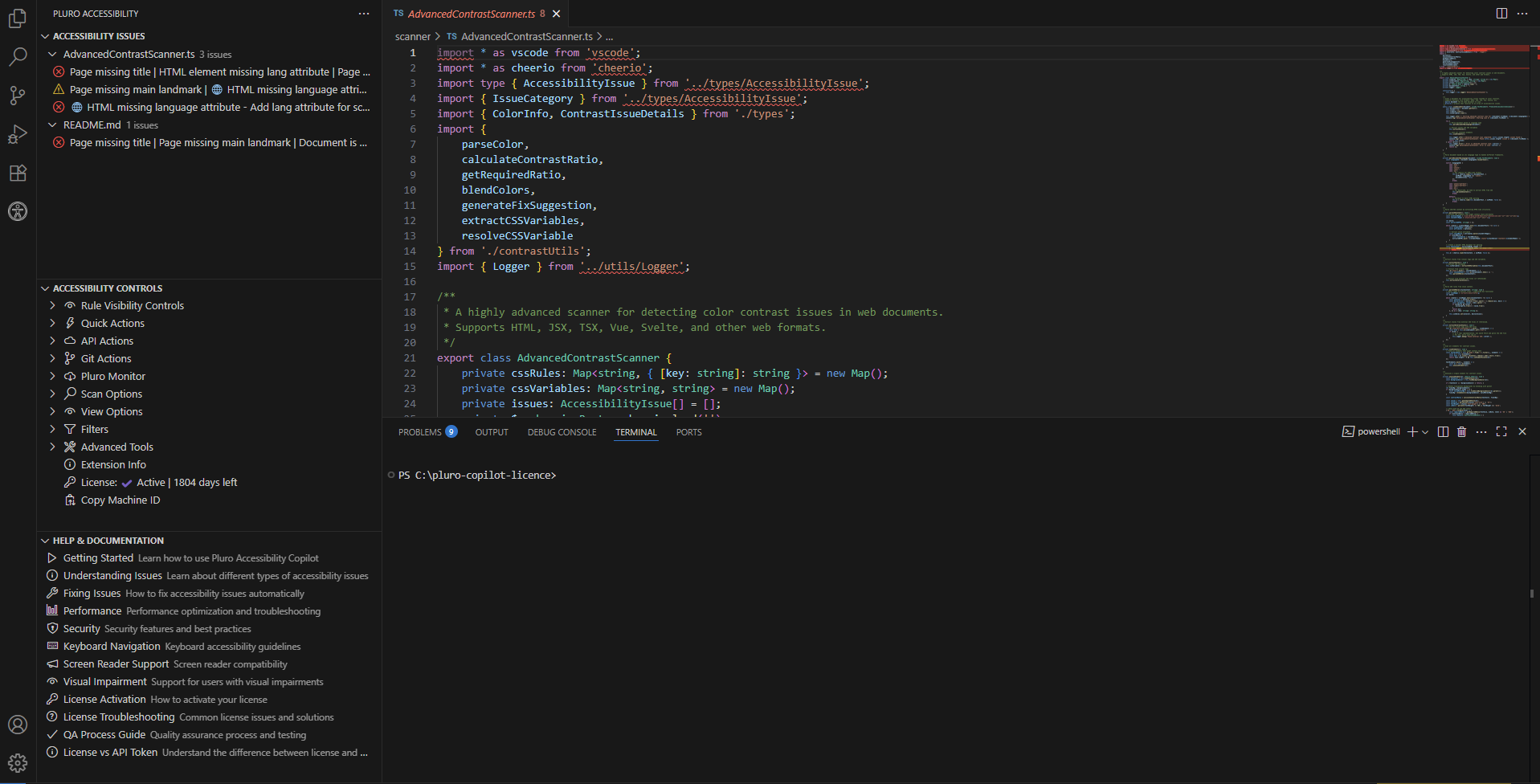
Accessibility in Your IDE
Pluro’s VS Code extension acts like a linter for accessibility, providing real-time feedback as your developers write code. Catch issues before they ever enter your codebase.
Real-time accessibility feedback
Save countless hours by fixing bugs during development, not after deployment.
Your Interactive Workbench for Fast Remediation
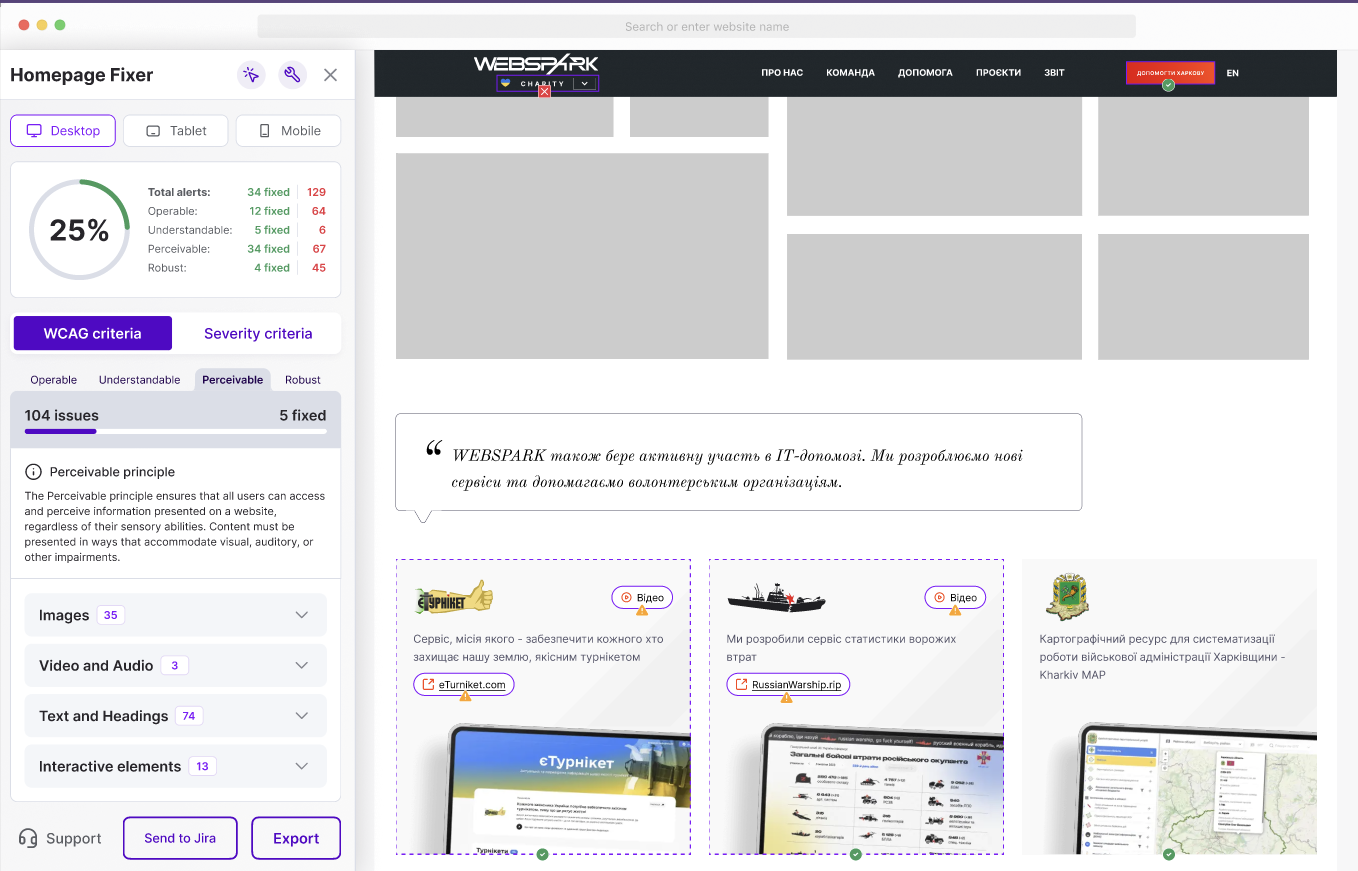
Forget static reports. Our “Fixer” is a hands-on workspace where Pluro guides you to the right solution.
Guided Inputs
Need an accessible name? Pluro provides an input field to add the correct aria-label directly, showing you exactly how it affects the code.
Visual Aids & Smart Suggestions
Struggling with color contrast? The Fixer visually presents the problem and suggests compliant color alternatives that match your design.
From Fixer to Live Site, Instantly
Choose the deployment method that fits your technical needs.
The Headless Script
Lightweight script added to the site, loads DOM fixes automatically on page load. Invisible & automatic.
IDEAL FOR: Seamless user experience.
The Full Widget
Includes automatic fixes plus a toolbar with user tools (font size, contrast, etc.).
IDEAL FOR: Personalization tools.
The Developer API
Pull fixes programmatically for integration into complex build/deployment processes.
IDEAL FOR: Advanced technical teams.
Ready to Fix Your Workflow?
Stop scanning and start integrating. Empower your developers and ship faster with confidence.
