Detect
Find automated and expert-reviewed accessibility issues.
The Accessibility Workflow Platform
Pluro gives accessibility teams, agencies and product teams one place to find barriers, assign responsibility, guide remediation and preserve proof that each issue was fixed.
Explore Pluro’s standard platform for 14 days — no credit card required.
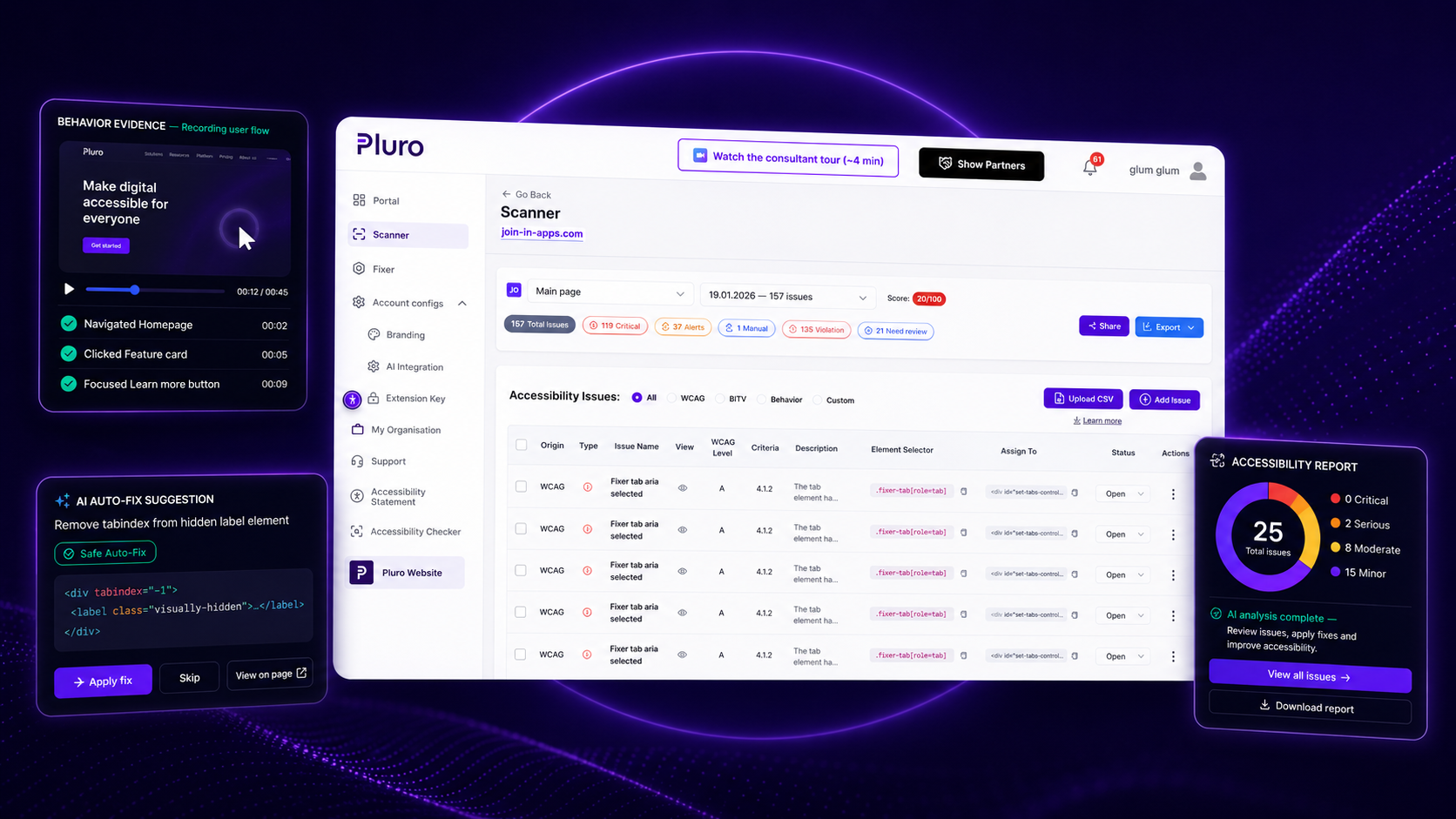
Used directly and through accessibility partners to manage findings, remediation and ongoing progress across websites.
Try Pluro on your own website
Enter your website to begin with an automated scan. Then activate full access to the standard Pluro platform for 14 days — including findings, Behavior Evidence, AI-assisted guidance, remediation, developer workflows, verification, monitoring and reporting.
The scan shows where to begin. The Pluro workspace is where your team reviews, remediates, verifies and monitors progress.
One issue. One complete workflow.
Pluro connects the finding, the user impact, the responsible owner, the remediation decision and the verification history in one traceable process.
01
Find automated and expert-reviewed accessibility issues.
02
Review context, behavior evidence and user impact.
03
Focus the team on the issues that matter most.
04
Choose the appropriate source, managed or expert fix path.
05
Retest the original issue and preserve the result.
06
Track progress and detect regressions over time.
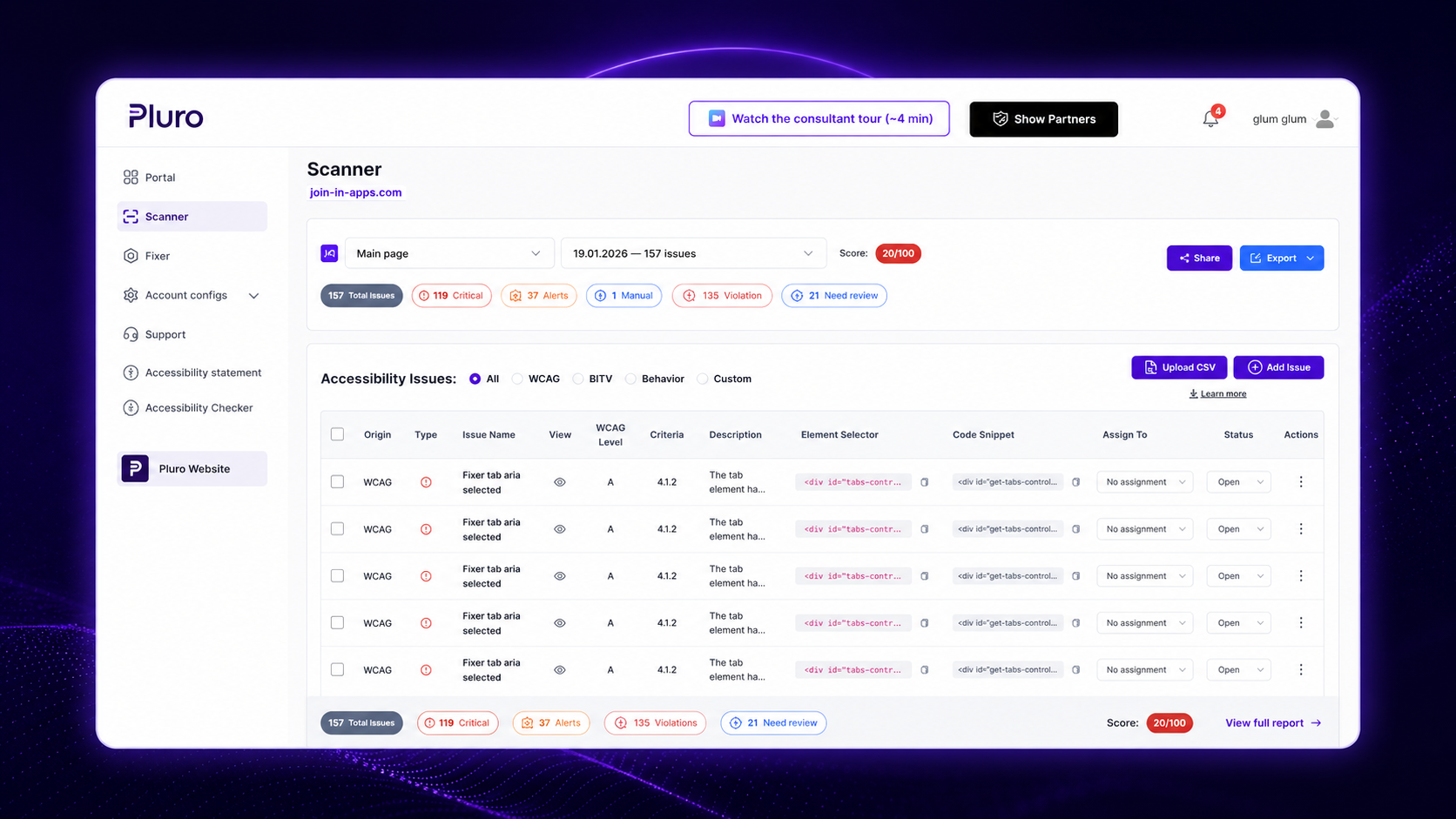
Behavior Evidence
Record a journey, inspect the timeline, review focus and keyboard behavior, capture validation failures and preserve the evidence needed to reproduce and verify the issue.
Capabilities that support the workflow
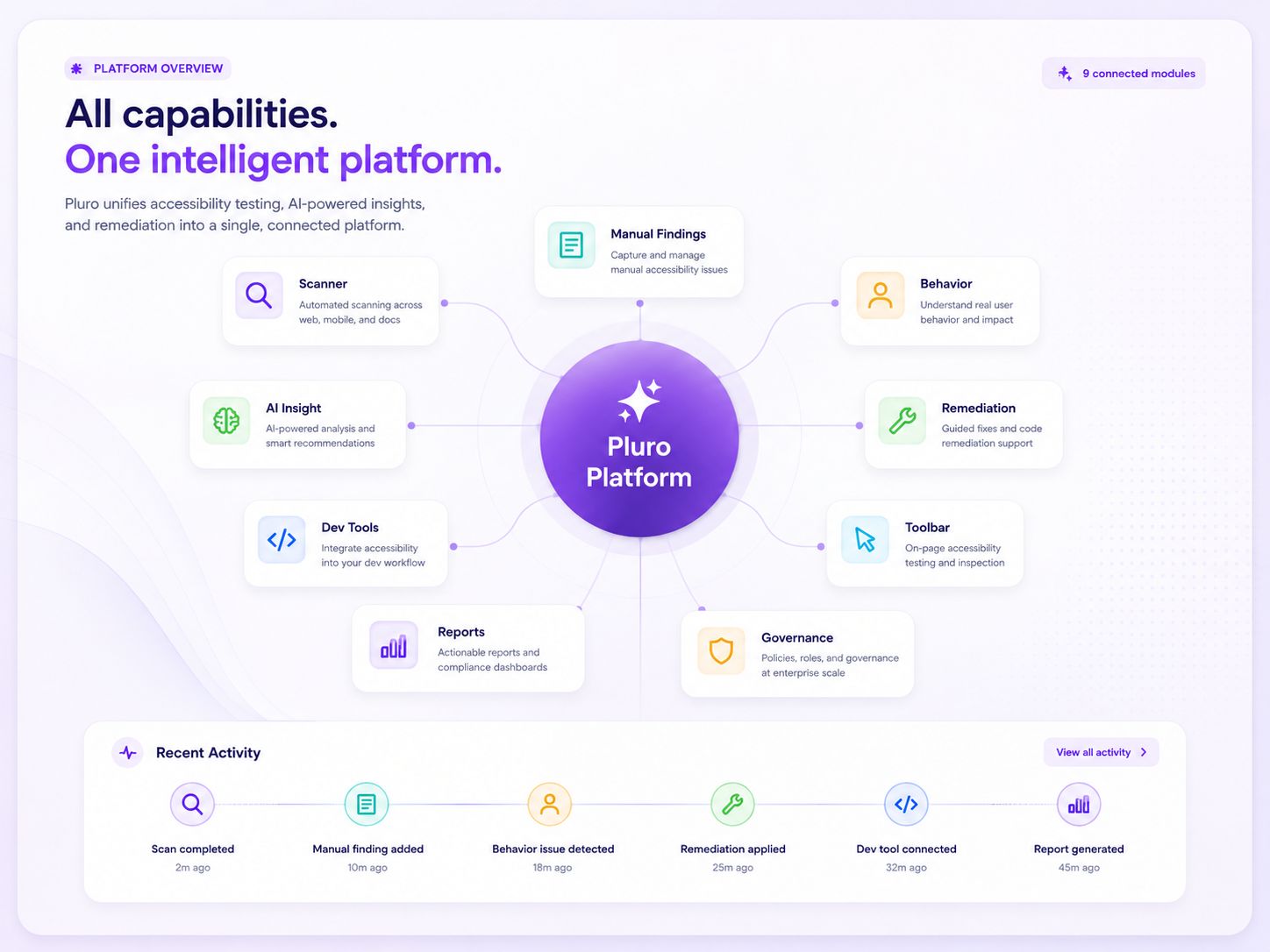
Use the capabilities you need while keeping findings, decisions, ownership and verification connected.
Automated WCAG 2.2 checks with source-level context.
Add expert-reviewed issues alongside automated results.
Capture real interaction failures, not only code failures.
Analysis and recommendations that support human decisions.
Choose the right fix path for each issue.
Source-level context inside the developer workflow.
End-user assistance without replacing real accessibility.
Traceable progress with evidence and verification.
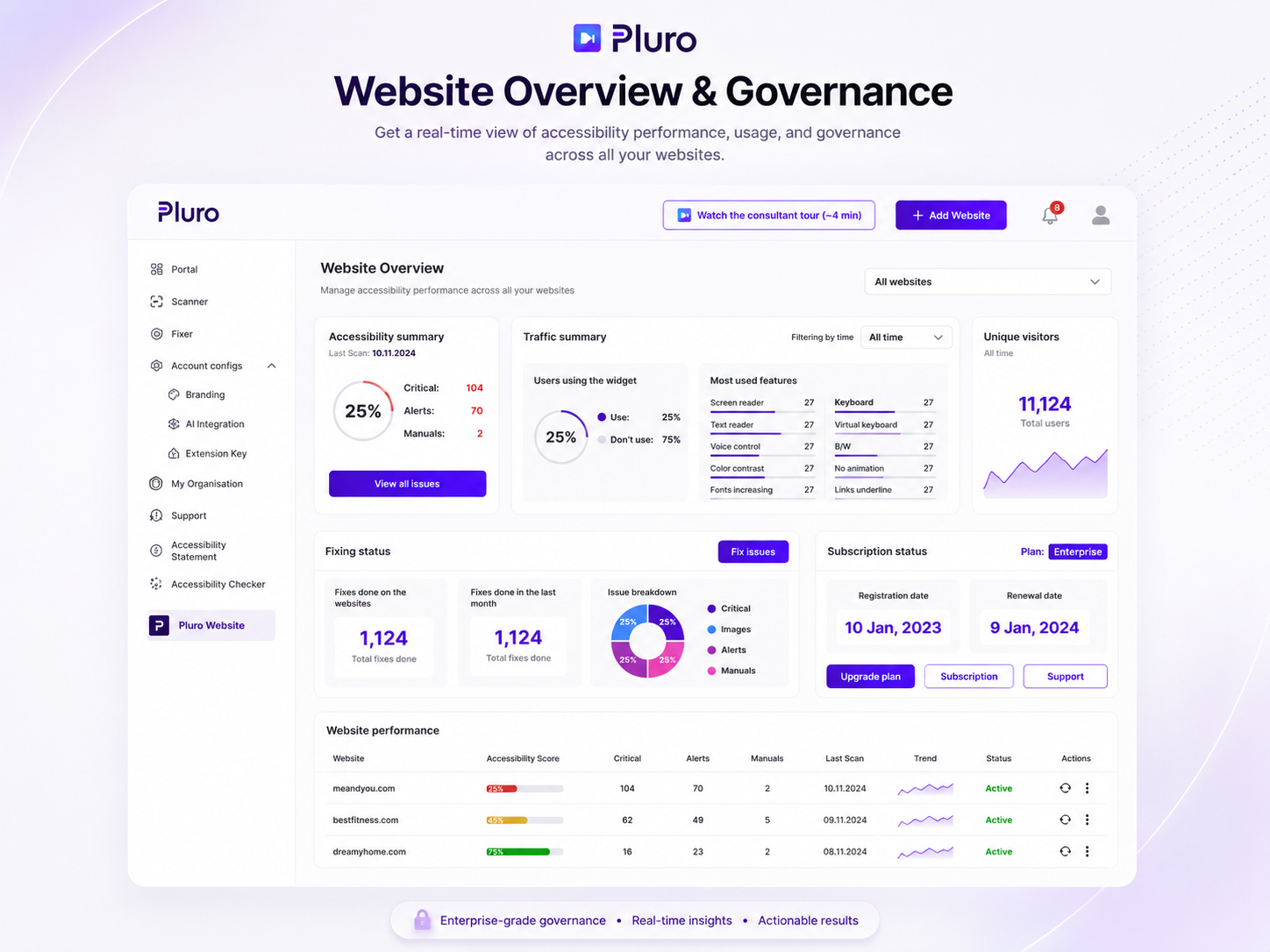
Manage domains, licenses, roles and performance from one workspace. Complex portfolio governance is available through a Custom Plan.
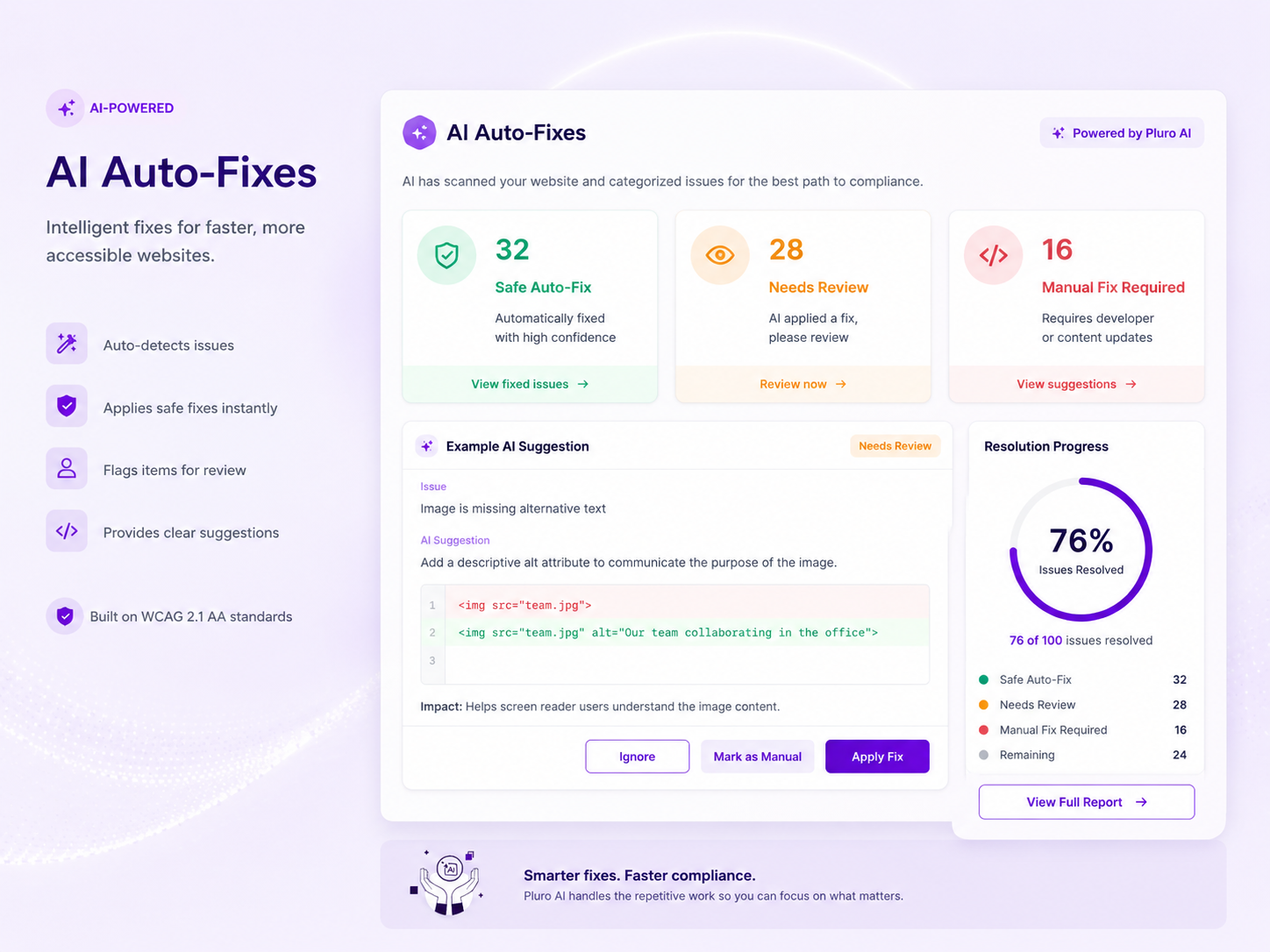
AI-assisted, human-controlled
Pluro separates defined technical fixes from issues requiring context, review or expert-led remediation.
Category 01
Defined technical fixes with review and a clear audit trail.
Category 02
Findings that require human judgment or approval.
Category 03
Complex behavior, design and product decisions.
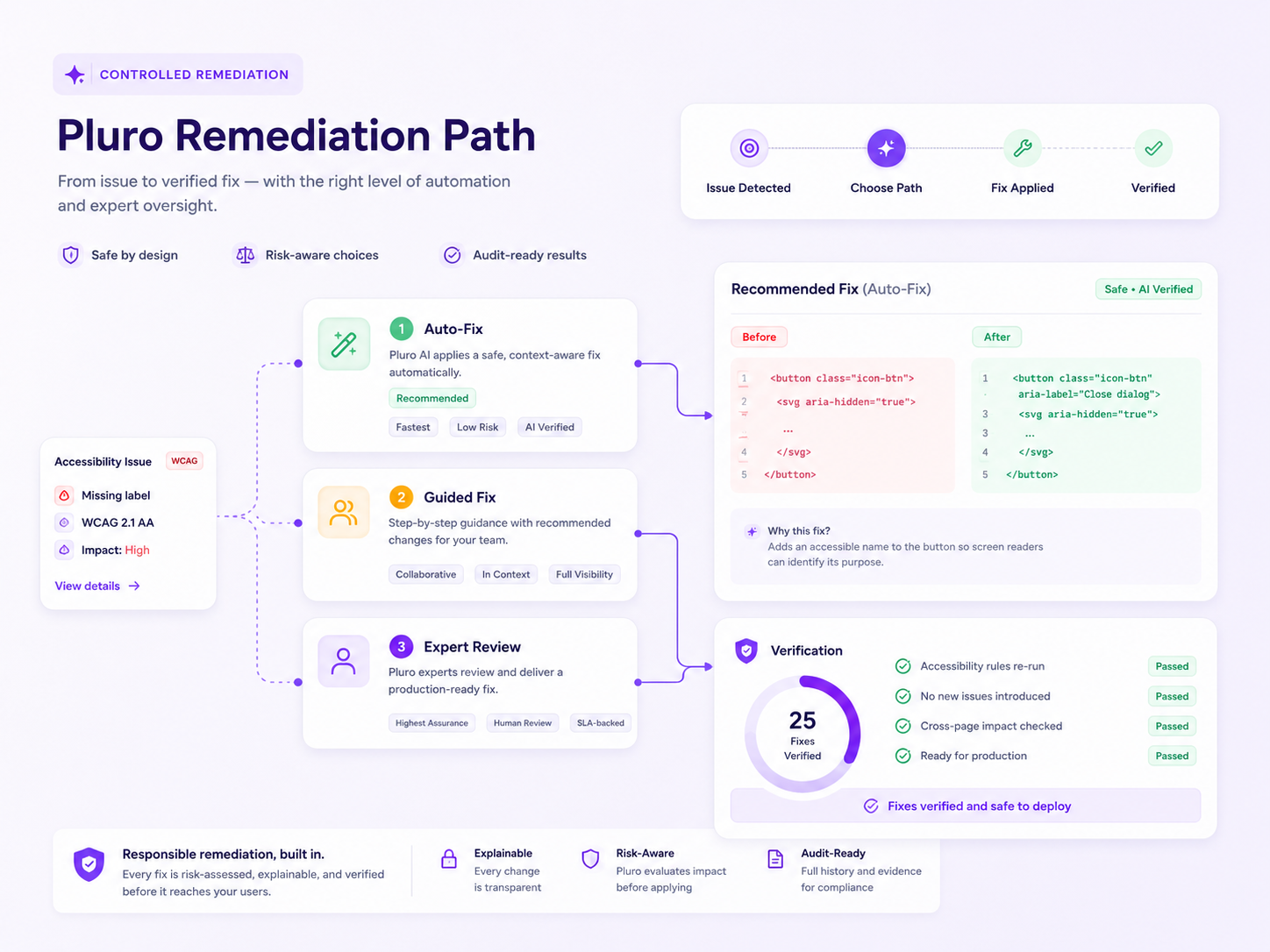
Controlled remediation
Use the appropriate path for each issue: source-code correction, developer guidance, managed JavaScript or CSS, content update or expert review.
Developer workflow
Give developers accessibility findings with the context they need, where they already work — inside VS Code and Chrome DevTools.
Reporting and evidence
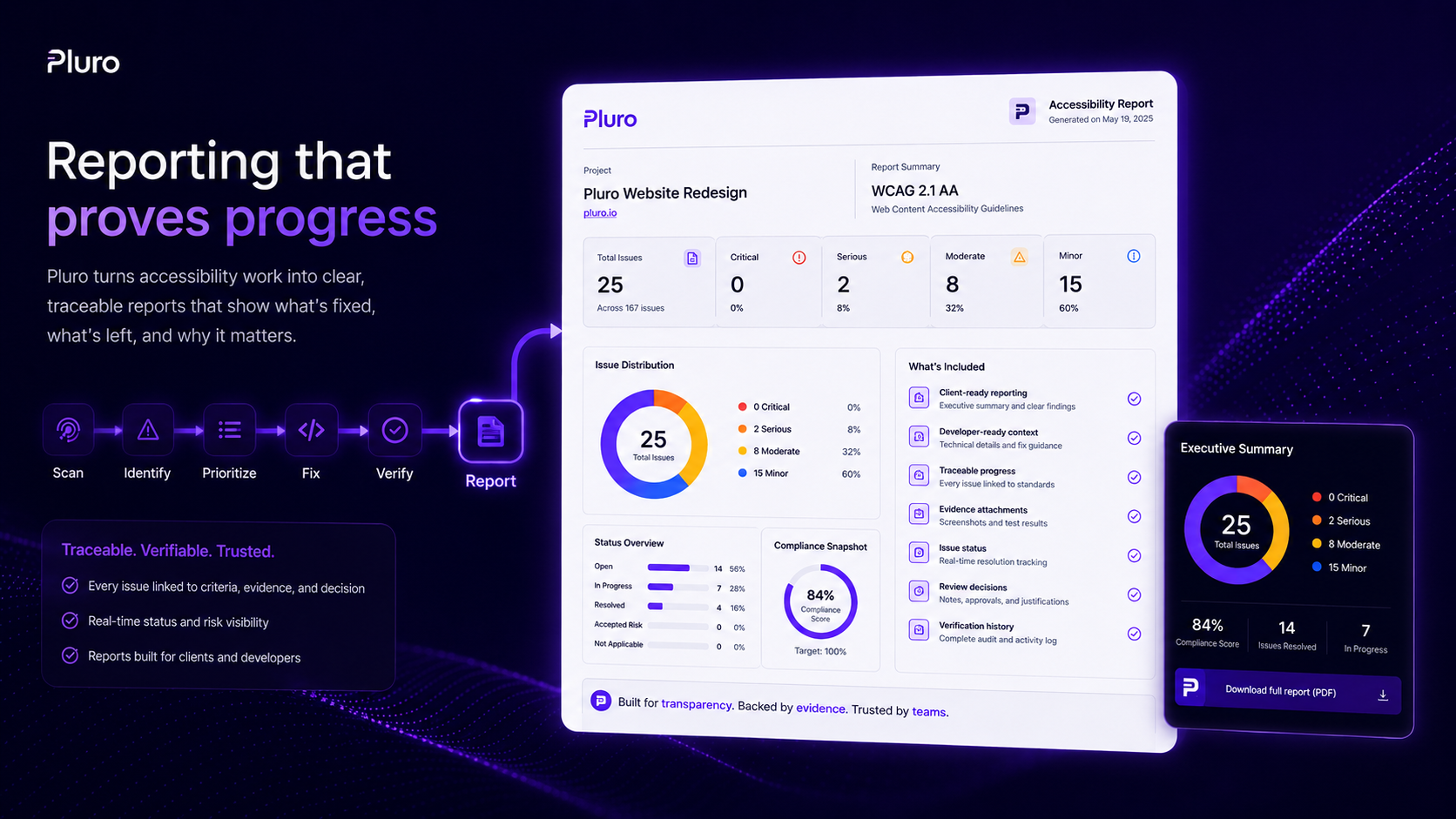
Pluro connects scan results, AI guidance, manual findings, evidence, ownership, remediation status and verification history in reports developers, clients and managers can use.
For agencies and accessibility partners
Manage multiple client websites, preserve evidence and report verified progress from one workspace.
Partner, reseller and white-label capabilities are available through Partner or Custom plans.
Manage every client, site and license from one workspace.
Turn Pluro into a repeatable service line.
Deliver the platform under your own brand.
Structured billing, ownership and license controls.
Deliverables clients and stakeholders can use.
Grow from a handful of sites to hundreds.
Choose the way you work
Manage many clients, deliver recurring value and package services under your brand.
Bring accessibility findings and verification into development, QA and release workflows.
Combine automated findings, manual review and Behavior Evidence with traceability.
Enterprise readiness
Enterprise capabilities are tailored to your organization’s requirements.
Information security management aligned with enterprise requirements.
Scoped permissions across accounts, sites and teams.
Additional protection for authorized users.
Available as an optional enterprise capability.
Available as an optional Custom / Enterprise capability.
Central oversight across websites and portfolios.
Visibility into findings, ownership, decisions, remediation and verification status.
FAQ
No. Pluro is an accessibility workflow platform connecting testing, Behavior Evidence, human review, controlled remediation and reporting.
No. Automated tools identify technical issues but cannot judge every context, intent or interaction. Manual review remains essential.
Behavior Evidence records how the interface behaves during real interaction, including focus, keyboard, validation and dynamic updates.
Yes. Expert-reviewed findings live alongside automated results with ownership, decisions and verification history.
AI supports analysis and recommendations. People make the decision. Findings are separated into Controlled Fix, Needs Review and Manual Remediation.
Yes. Developer-ready findings provide source-level context and can be used with Pluro’s VS Code accessibility workflow.
Yes. Pluro supports multi-client workspaces and portfolio oversight. Reseller workflows, white-label options and complex portfolio governance are available through separately scoped Partner or Custom plans.
Yes. Reports connect findings, evidence, ownership, remediation status and verification history.
Start your 14-day free trial, add your website and begin immediately. You can explore the standard Pluro platform, and no credit card is required.
The trial includes full access to the standard Pluro platform available through the Small, Medium and Large plans. You can add your website, run scans, review automated and manual findings, capture Behavior Evidence, use AI-assisted guidance, manage remediation, support developer workflows, verify fixes, monitor progress and generate reports. No credit card is required.
Yes. Pluro supports role-based access and MFA. SSO based on SAML is available as an optional enterprise capability.
Explore the standard Pluro platform for 14 days. Scan, review, remediate, verify, monitor and report with your team — no credit card required.
