Built for accessibility coordinators

All accessibility across your organization, on one screen.

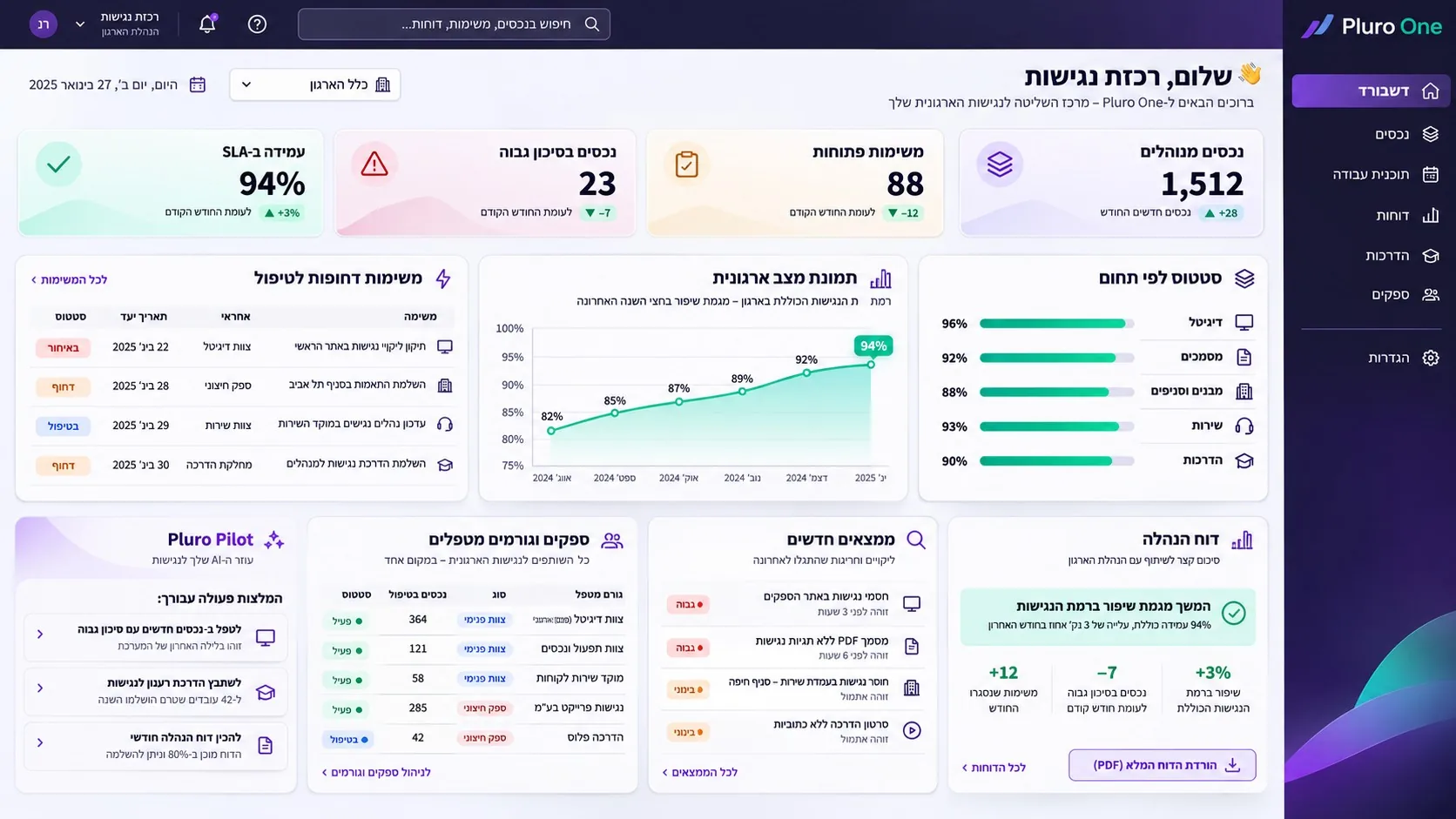
Pluro One brings together accessibility work across your organization, from the website to the last branch. Instead of chasing people, you can see what remains open and who needs to act.

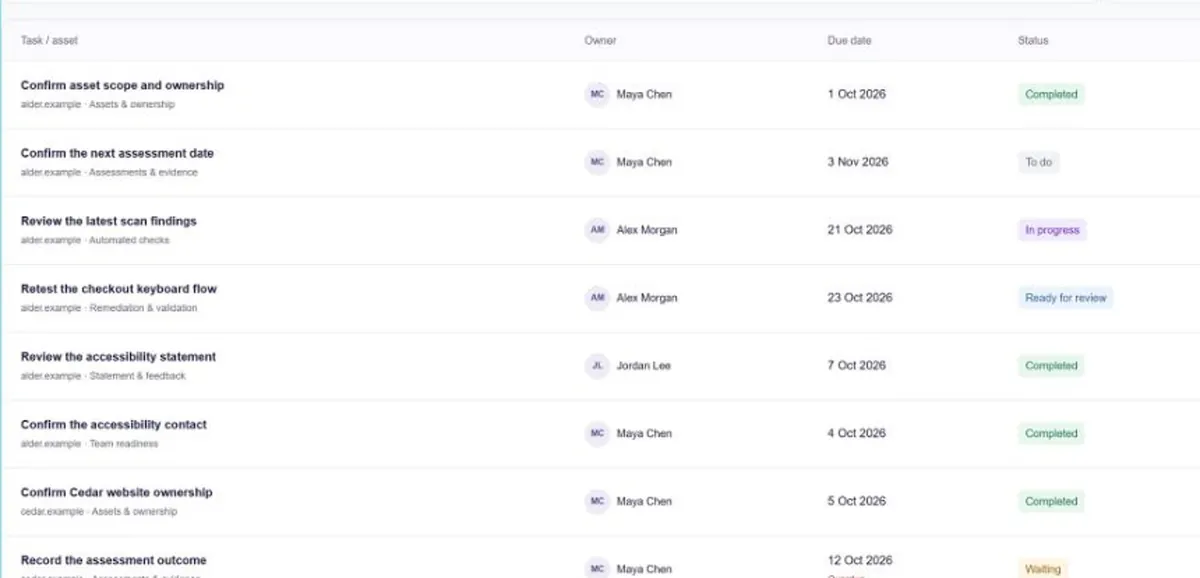
  • Who’s on it?An owner for every task
  • By when?Due dates and status
  • Where’s the proof?Evidence on file
Pluro One dashboard showing accessibility indicators, open tasks and remediation progress

The coordinator, at the center.Less chasing. More leading.

Sound familiar?

Four messages before your first coffee.

Each one is an accessibility task, and none of them comes with an owner or a due date.

So it all lands on you, somewhere between a spreadsheet and your inbox. Then the CEO’s office asks for a status, and the phone calls start.

  1. Digital teamA new version of the site just went live. Do we need to check anything?
  2. MarketingWe uploaded the annual report to the site. It’s a 46-page PDF.
  3. OperationsThe new branch opens on Monday.
  4. CEO’s officeCan we get an accessibility status for tomorrow’s leadership meeting?

Sales has a CRM. Development has Jira.
Accessibility now has Pluro One.

One system where the accessibility coordinator, the teams, the vendors and leadership all see the same picture.

What you get

From scattered messages to tasks that get closed.

Everything your organization needs to make accessible, in one list.

Every asset, from every unit, has an owner and a current status. You know what’s missing before someone else finds it.

  • Websites, apps and digital systems
  • Published documents and forms
  • Buildings, branches and accessibility surveys
  • Customer service, procedures and training
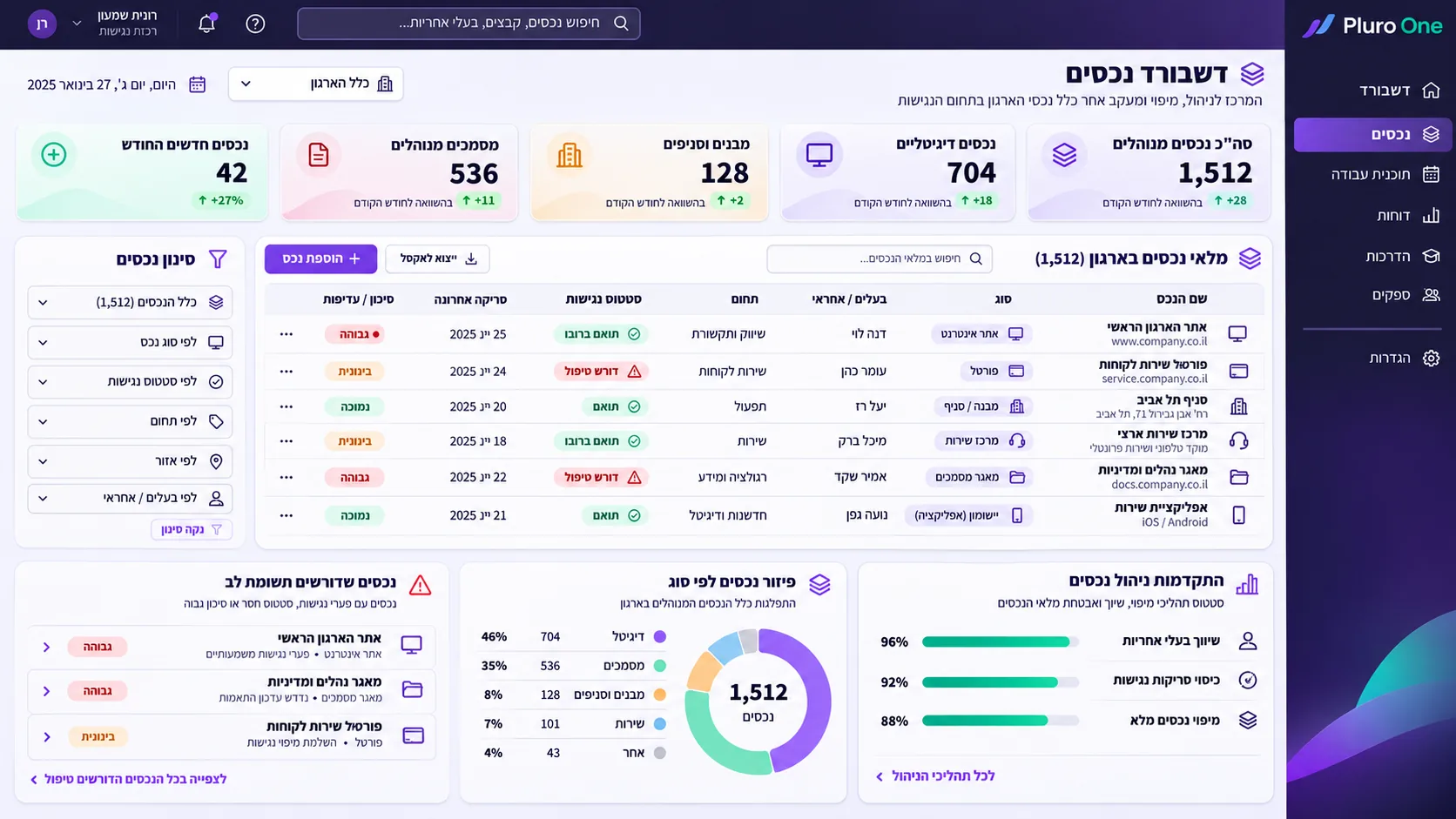
Pluro One asset management screen showing the inventory, filtering options and accessibility status

Every finding becomes a task with a name and a date.

Teams keep working in the tools they know, and you can follow every task from the moment it’s found to the moment it’s verified.

  1. Discovery
  2. Priority and due date
  3. Owner assigned
  4. Execution
  5. Verification and records
  • Jira
  • Azure DevOps
  • GitHub
  • ServiceNow
  • Teams
Pluro One accessibility work plan listing tasks, owners, due dates and treatment status

The leadership report is ready before anyone asks.

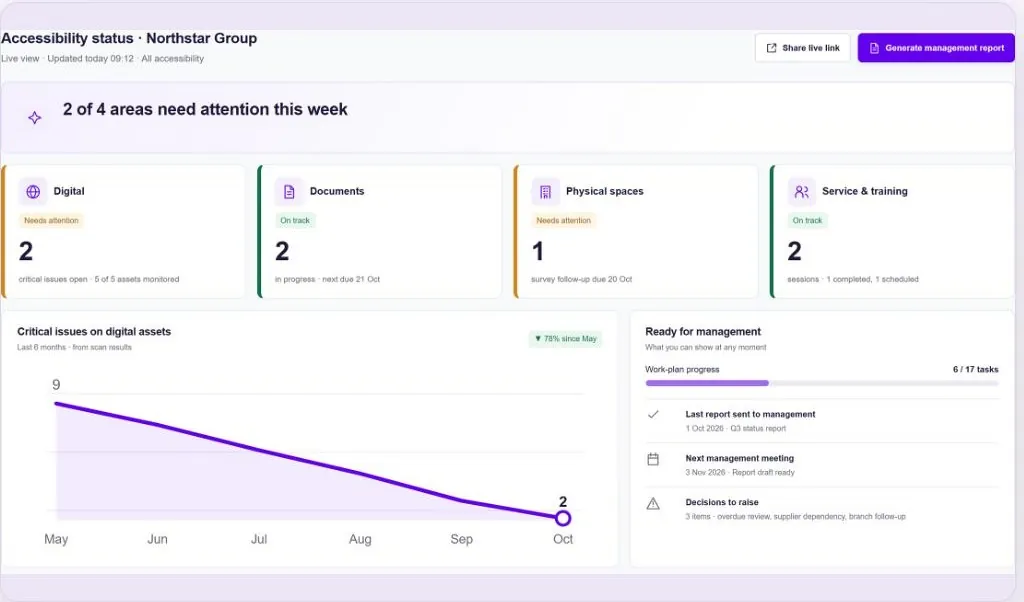
When leadership asks for a status, you send them a link. The view stays up to date, with trends, risks and supporting evidence.

LeadershipTrends, goals and decisions to make
Legal and complianceRemediation records and evidence
ESGAccessibility and inclusion metrics for reporting
Pluro One management report showing accessibility status, critical issues and task progress

The platform notices changes for you.

When a new document goes up on the site, the platform detects it and routes it for handling. When you need a quick answer, ask Pluro Pilot in plain language and get one from your organization’s data.

Content monitoringNew document detectionTracks new documents on your site and in shared folders, and routes them for handling.
Pluro PilotAn AI assistant for coordinatorsAsk about your accessibility status in plain language, based on your organization’s data.

Want to see how it would work for you?A personal demo, tailored to your organization’s domains and units.

Book a demo

The platform

All organizational assets, in one view.

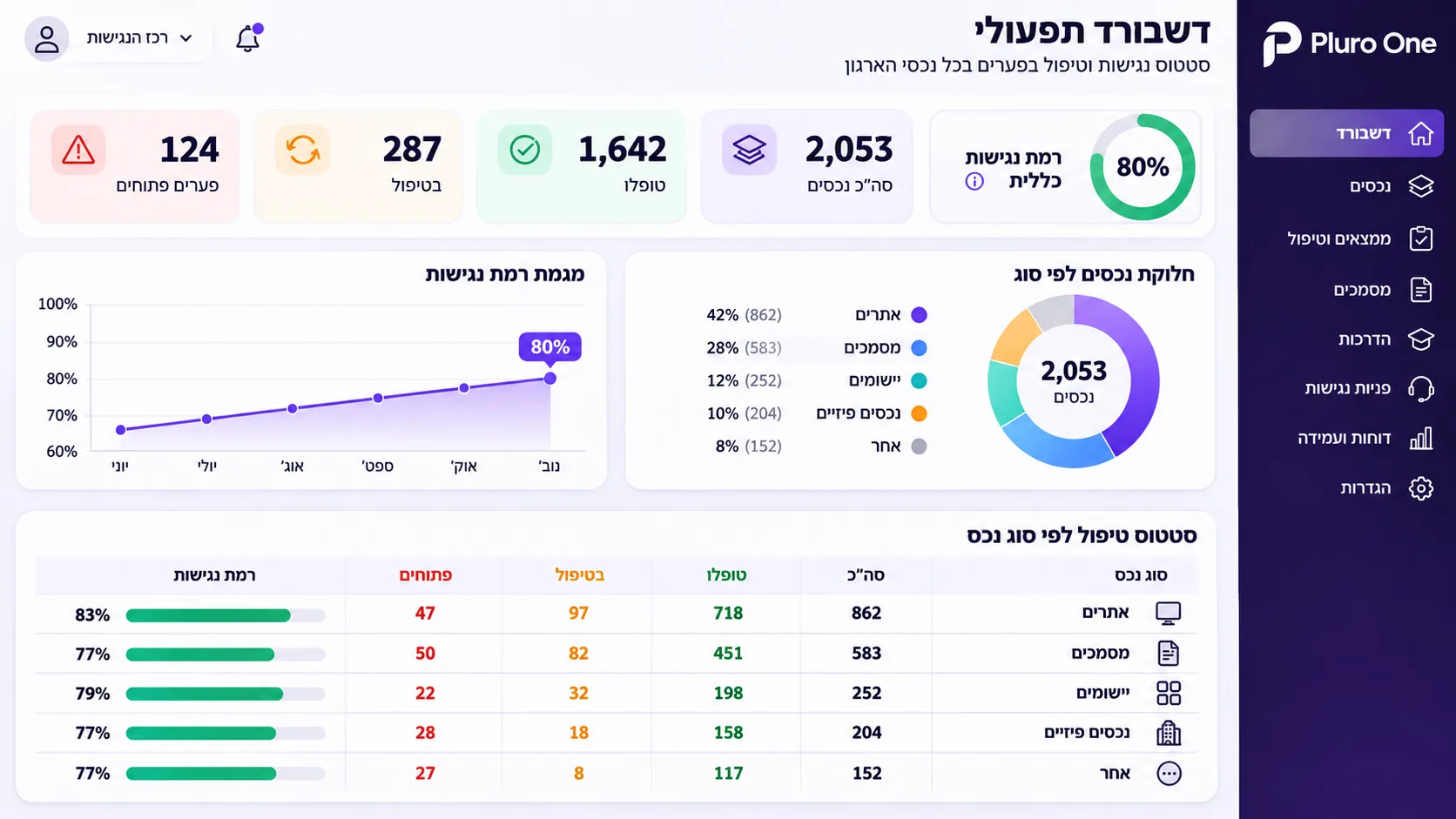
See how many assets have been resolved, how many are in progress, and how many are still open, by asset type.

Pluro One operations dashboard showing resolved assets, open gaps and accessibility trends

Before you book

Questions coordinators ask us.

We already work with accessibility vendors. Do we need to replace them?

No. Pluro One manages the process, and the work stays with whoever you choose: your vendors, your development and service teams, and your content units. The difference is that now you can see who did what, and when.

Is it only for the website?

No. The platform manages four domains: digital and systems, documents and content, buildings and branches, and service and training.

Does Pluro One remediate documents itself?

Document management is included: detection, ownership, tracking and records. The remediation itself can be done for a separate fee or by your existing vendor.

Which standards does it cover?

The standards and frameworks that apply to your country, your assets and your requirements:

  • IsraelIS 5568
  • EuropeEN 301 549, EAA
  • United StatesADA, Section 508
  • GermanyBITV 2.0, BFSG
  • AustraliaDDA
  • JapanJIS X 8341-3
What if we need an expert?

You can bring in accessibility experts, surveys, remediation and training through us, as your organization needs them. And you can keep working with your own vendors.

What happens in the demo?

We walk through the home screen, the work plan and the leadership report together, and talk about how your organization is set up: which domains, which units and which vendors.

Personal demo

Less chasing. More leading.

Leave your details and we’ll get back to you to find a time that works.

  • We’ll show you the platform live: the home screen, the work plan and the leadership report.
  • We’ll build the demo around your domains, units and vendors.
  • The demo doesn’t commit you to anything.

Prefer email? Eldad@pluro.ai

Schedule a demo

* Indicates required fields

    * Indicates required field